

React Theme Tide
MIT license npm 0.2.1
Switch your site between light and dark with a wave of water. The new theme rises from the bottom of the screen, pauses for a second with the waves still moving, then fills the page.
You keep your own theme code. React Theme Tide only animates the change. This site uses it, so try the theme switch at the top of the page.
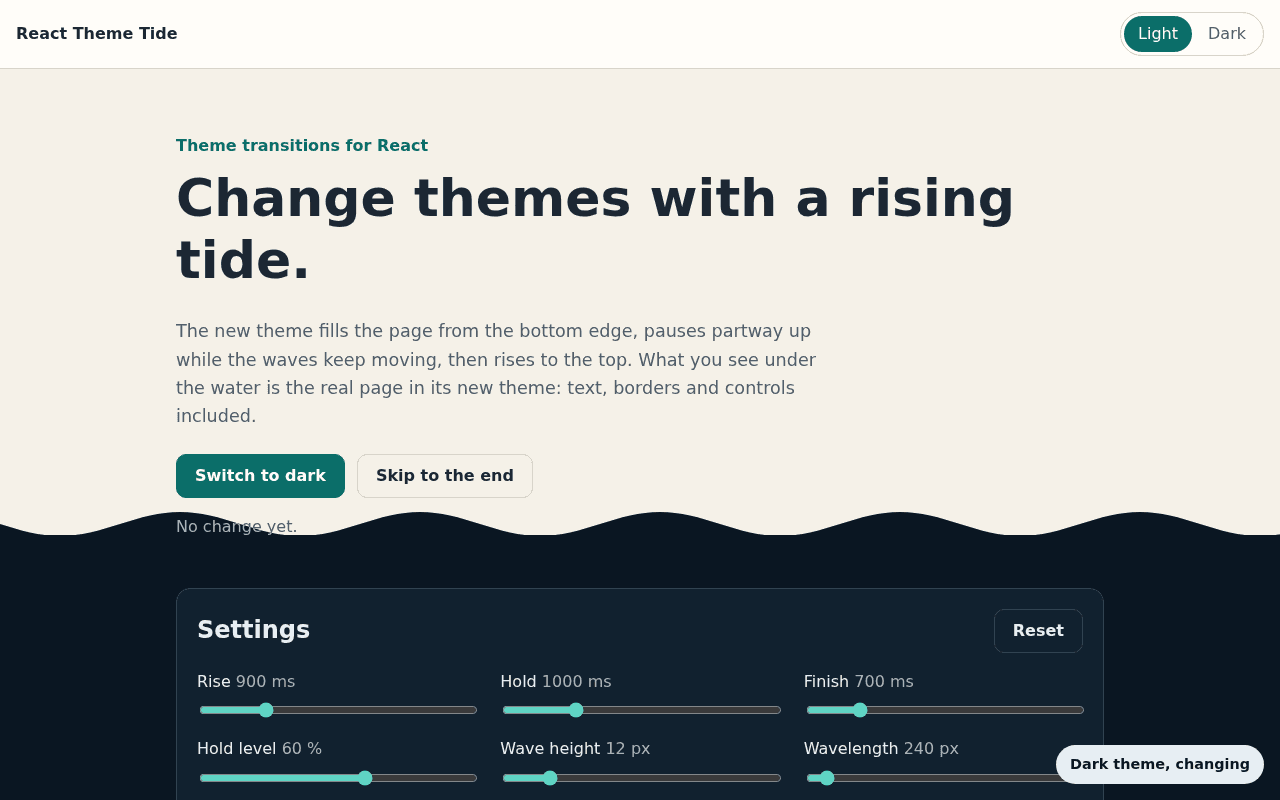
The new theme rises from the bottom. 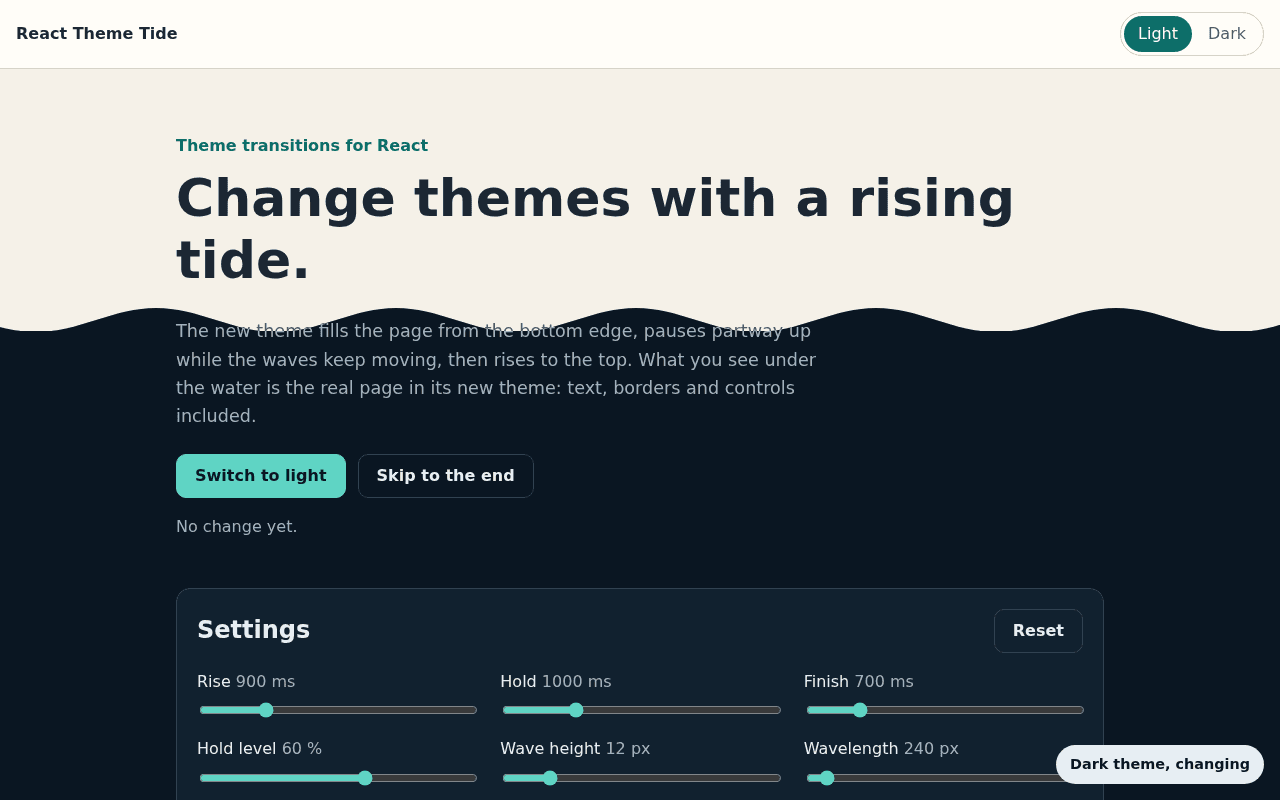
It pauses with the waves still moving. 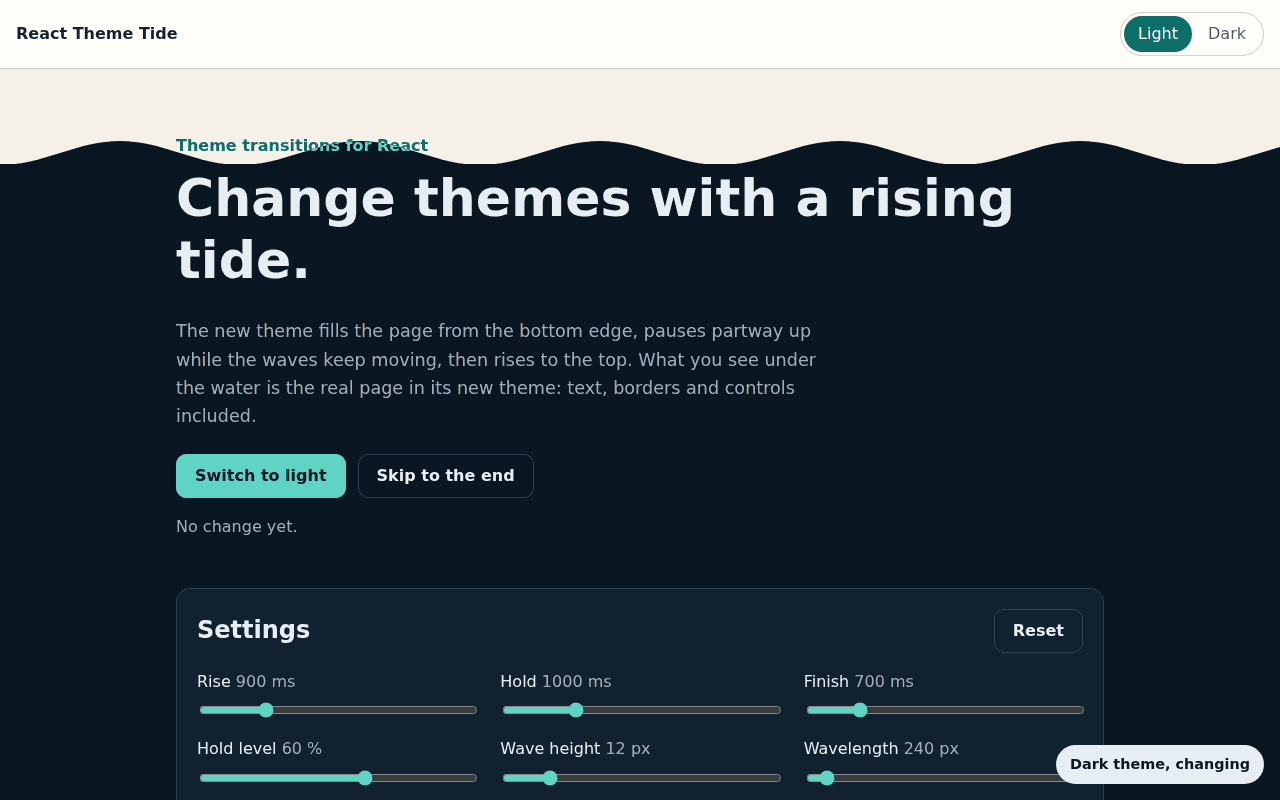
Then it fills the page.
Use it
You need React 18 or newer. There’s no CSS to import.
pnpm add react-theme-tideWrap the code that changes your theme in run:
"use client";

import { useThemeTide } from "react-theme-tide";

export function ThemeToggle() {
  const tide = useThemeTide();

  return (
    <button
      type="button"
      onClick={()=> tide.run(()=> document.documentElement.classList.toggle("dark"))}
    >
      Switch theme
    </button>
  );
}
It works in Next.js too. Use the hook in a Client Component. People who prefer reduced motion get an instant change, and so do browsers without View Transitions.
You can change the timing and the waves. This site uses shorter, quicker waves than the default, and pauses higher up:
const tide = useThemeTide({
  riseDuration: 750,
  holdDuration: 900,
  finishDuration: 550,
  holdLevel: 0.68,
  waveAmplitude: 7,
  waveLength: 120,
  waveSpeed: 1.8
});
The README covers timing, waves and the full API.